

What should you check before choosing a recording method?
Check how movements reach the app, what information you need to provide and how you will review the result. A manual record requires you to enter or import the information you want to track. Read the service conditions and privacy policy when deciding whether that process suits your needs and preferences.
Keep the question concrete: can you identify a payment, correct its category and compare a period with your receipts or statements? A recording method does not by itself establish how a service handles data or whether every movement has been included.
Sources: Finanzas para Todos: preparing a monthly budget (Spanish) · checked on ; Finanzas para Todos: recording and reviewing spending (Spanish) · checked on .
What should a manual expense app let you check?
Try recording a movement and finding it again in the list. Check the amount, category, date and account, then review the total for the same period. Look separately at export formats, plan limits and account deletion information. These are different tasks, and a useful recording form does not establish how the others work.
Recording and reviewing
Use a small set of movements you can verify. Include any cash payment you want in the total, and check for duplicates if you later import an overlapping statement. The time needed will depend on the entries and corrections involved.
Retrieving your records
Check which formats the service provides and what each file contains. In Sumant, JSON export is available on the free plan; CSV/XLSX export requires PRO. Account deletion is a separate operation whose result needs confirmation.
Sources: Sumant plans · checked on .
How do recording methods differ in daily use?
Manual entry, file import and a connected service involve different ways of bringing movements into a record. In each case, check the period, accounts and categories before relying on a total. Choose according to the tasks you want to perform; no method guarantees complete records or a particular level of attention.
| Method | Your review |
|---|---|
| Manual entry | Check the details you enter against the payment record. |
| File import | Check the selected rows, dates and overlap with existing entries. |
For a product-specific comparison, see Sumant and Wallet by BudgetBakers.
What can you test with a small sample?
Use a short period with records you can compare directly. Check how you enter a movement, correct it and see its category total. Repeat the review on the device you expect to use most. If an export matters to you, confirm its format and conditions before adding a larger history.
- Record an expense and check its date and account.
- Check the period included in the monthly total.
- Read the available export formats and plan limits.
- Review the privacy policy and account settings.
What does Sumant offer for this routine?
Sumant runs in the browser on mobile and desktop and requires an email and password account. You can record movements manually or review a CSV/XLSX file before importing it. The free plan includes one import of up to 250 selected transactions. Check the plan details if you need additional imports or other export formats.
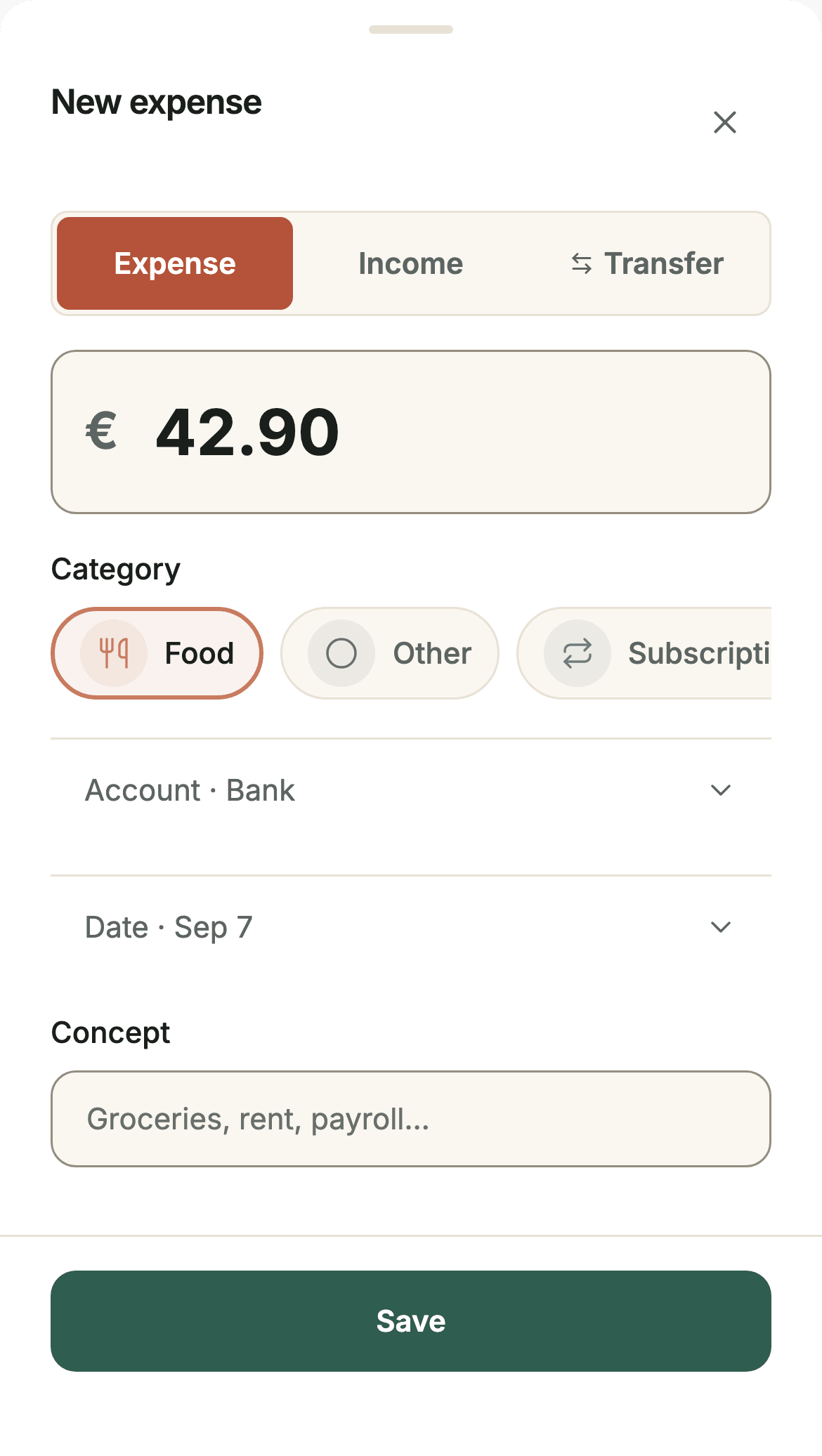
There are no ads, and analytics is optional. Start with a few movements you can verify before deciding whether the recording and review process fits your routine. The screenshot above illustrates the form you use to prepare an expense.
Sources: Sumant plans · checked on .