

Which option fits the task you want to complete?
The right type of app depends on how you want transactions to get in. You can type each entry yourself, import the statement files you download from your bank, or connect your bank so that movements arrive on their own. The list below shows which of the seven apps cover each route.
- Typing entries yourself: Monefy, Sumant, the free tier of Wallet, the cash wallet in Spendee Basic, YNAB with an unlinked account and Money Lover.
- Importing files: Sumant, Wallet and Monefy. Spendee’s pricing page also lists import and export of transactions in every plan, and YNAB’s help has a section on file-based import.
- Connecting your bank: Fintonic, YNAB where your bank is available, Spendee Premium, Wallet Premium and the Linked Wallet service from Money Lover. Sumant does not connect to your bank, and Monefy says it needs no bank login.
For manual recording, compare the entry form and the review process on your usual device. For budgeting, check how you assign available money. If bank connections matter, confirm support for your specific accounts. Include the cost of the features you actually need, together with the conditions for getting your records back.
What should you compare before choosing a personal finance app?
Start with the tasks you will repeat: recording transactions, reviewing categories, preparing a budget and getting your records back out. Then compare the devices, the plan that covers those tasks and the way the company makes its money. A feature can depend on the platform, the type of account or how you pay.
Write down what you need today and what would only be a future possibility. If you record cash, check manual entry. If you plan your month on a computer, look for a documented web version and read its functions: desktop availability does not establish that every mobile function exists on the web.
Importing and exporting are separate tasks. The first brings transactions into the app; the second lets you take out data you have already saved. Check the formats, limits and platform for each one. A CSV of transactions is not a full copy of accounts, rules and budgets, although it can carry part of your record.
See how we make our comparisons
How do these seven apps differ?
The table shows, for each app, how transactions get in, whether there is desktop access, the business model and the published cost. Use it to narrow your options before reading each case, not to replace the conditions of a plan. Dollar prices keep the label their source gives them, and none is converted.
| App | How transactions get in | Desktop access | Business model and published cost |
|---|---|---|---|
| Sumant | Manually, or by reviewing a CSV or XLSX file before importing it. No bank connection. | Web on mobile and desktop | Free plan and one-off purchase. The free plan has no expiry. PRO Founder costs €19.99 as a single payment, with no subscription. Sources: Sumant plans · checked on . |
| YNAB | A linked account with direct import where your bank is available, or an unlinked account with manual entries. | Web and mobile apps | Subscription. $109 a year or $14.99 a month (USD), plus tax where applicable; 34-day free trial, with no credit card when you sign up directly. Sources: YNAB pricing and features · checked on ; Adding an account in YNAB · checked on . |
| Fintonic | Connected bank accounts. | The cited sources do not establish an equivalent expense dashboard on the web. | Free app; commissions on financial products. The company says it does not charge for using the app and receives a commission when you choose a financial product. Financing has separate conditions. Sources: Fintonic: free access and commissions (Spanish) · checked on ; Current Fintonic services (Spanish) · checked on . |
| Monefy | By hand, or by importing statements manually. No bank login required. | Official downloads advertise iOS and Android. | Freemium; optional Premium upgrade. The website publishes no price. The US App Store lists Monefy Premium at $59.99 without saying the period. Sources: Monefy features and plans · checked on ; Official Monefy downloads · checked on ; Monefy on the US App Store · checked on . |
| Spendee | A cash wallet in Basic; bank account sync in Premium only. | Web available; budgets listed for mobile. | Freemium; subscription. Basic is free; Plus $1.99 a month or $14.99 a year; Premium $5.99 a month or $35.99 a year, listed in dollars; prices might differ by country. Sources: Spendee plans and platforms · checked on . |
| Wallet | Manually on the free tier, by importing files, or through bank sync in Premium. | Web and mobile, with platform differences. | Freemium; subscription or lifetime purchase. Free tier for manual tracking; Premium is monthly, yearly or lifetime. The cited sources give no price: Wallet says you see it inside the app. Sources: Wallet recording and budgets · checked on ; Wallet Premium plans and platform differences · checked on ; Wallet bank connections in Premium · checked on . |
| Money Lover | Manually, or by linking a bank with Linked Wallet, which is sold separately. | Desktop web can show and add transactions. | Free with ads; one-off Premium. The US App Store listing says the app contains advertising. Lifetime Premium costs $19.99 (USD) as a one-time purchase; Linked Wallet is separate. Sources: Money Lover on the US App Store · checked on ; Money Lover: return of the web version · checked on . |
We do not convert prices into pounds or euros: exchange rates, taxes and store conditions can differ. Nor do we give numerical scores for privacy, ease of use or quality of support. The sources confirm the facts quoted; they are not evidence of a full test of each service with a signed-in account.
What business model does each app use to make money?
The seven apps make money in different ways. YNAB sells a subscription; Spendee and Wallet pair a free tier with paid plans; Monefy offers an optional upgrade; Sumant and Money Lover sell a one-off purchase; and Fintonic says it earns commissions on financial products. Money Lover’s listing also says the app contains advertising.
Sumant: Free plan and one-off purchase. The free plan needs no card and has no expiry. Sumant sells PRO Founder as a single payment of €19.99, with no subscription or renewal. Sumant shows no ads.
Sources: Sumant plans · checked on .
YNAB: Subscription. YNAB charges $109 a year or $14.99 a month (USD), plus tax where applicable. On its pricing page the company says: “You pay us the monthly or annual subscription price, and there you have it.” It offers a free 34-day trial, with no credit card when you sign up directly with YNAB, and a free 365-day trial to college students; one subscription can be shared with up to six people.
Sources: YNAB pricing and features · checked on .
Fintonic: Free app; commissions on financial products. Fintonic says it does not charge for using the app and that it has no paid services. According to the company, its business model rests on a marketplace of financial products: the app acts as an intermediary between users and banks or financial institutions, and when you choose a product Fintonic receives a commission for making that connection.
Sources: Fintonic: free access and commissions (Spanish) · checked on .
Monefy: Freemium; optional Premium upgrade. Monefy’s website says the core app is completely free and that an optional upgrade unlocks unlimited accounts, recurring transactions, advanced filters and more. The website publishes no price. The US App Store listing describes Premium as an auto-renewing subscription and lists “Monefy Premium” at $59.99, without saying for which period, so no period is stated here.
Sources: Monefy features and plans · checked on ; Monefy on the US App Store · checked on .
Spendee: Freemium; subscription. Spendee Basic is free, with one cash wallet and one budget. Plus costs $1.99 a month or $14.99 a year and Premium $5.99 a month or $35.99 a year, as listed in dollars on its pricing page. The page says prices might differ by country and that all plans come with a 7-day free trial. Bank account sync is listed only under Premium.
Sources: Spendee plans and platforms · checked on .
Wallet by BudgetBakers: Freemium; subscription or lifetime purchase. Wallet offers a free tier for manual tracking and a Premium tier that adds bank syncing. Premium comes as monthly, yearly or lifetime plans, and its help says you see the current prices inside the app, so no price is quoted here. BudgetBakers says its tools are funded entirely by user subscriptions.
Sources: Wallet recording and budgets · checked on ; Wallet Premium plans and platform differences · checked on .
Money Lover: Free with ads; one-off Premium. Money Lover is free to download with in-app purchases, and its US App Store listing says it contains advertising. Lifetime Premium costs $19.99 (USD) as a one-time purchase with no monthly fees; the listing counts an ad-free app among its benefits and says it excludes the Linked Wallet service, which is sold separately.
Sources: Money Lover on the US App Store · checked on .
How do you compare a free app with a subscription or a one-off purchase?
Compare the cost of the whole set of tasks you need, not just the entry price. A free tier may be enough to record transactions and fall short when you import more history or export in another format. A free trial, a subscription and a one-off purchase carry different conditions, so tell them apart before you pay.
Write a short list: the accounts you will review, the budget you want to prepare, the files you need to bring in and the format you would want back. Check those functions in each plan. Do not assume that every free app is funded in the same way: use the explanation each company publishes and read its specific conditions.
The sources show how differently the same idea is sold. YNAB says its free trial ends without a charge unless you subscribe. Spendee’s help says the free plan exports only the last 365 days, while Plus and Premium remove that limit. Wallet says its monthly, yearly and lifetime plans give the same set of Premium features, and Money Lover’s lifetime Premium excludes its Linked Wallet service.
Sources: YNAB pricing and features · checked on ; Exporting Spendee transactions · checked on ; Wallet Premium plans and platform differences · checked on ; Money Lover on the US App Store · checked on .
What can you check in each of the seven apps?
Each option combines different tasks and conditions. First check how your transactions would get in, then what you can see on the device you use, and finally what you would need to pay for or prepare in order to leave. The entries below set out those differences without assuming that one option suits every routine.
1. Sumant
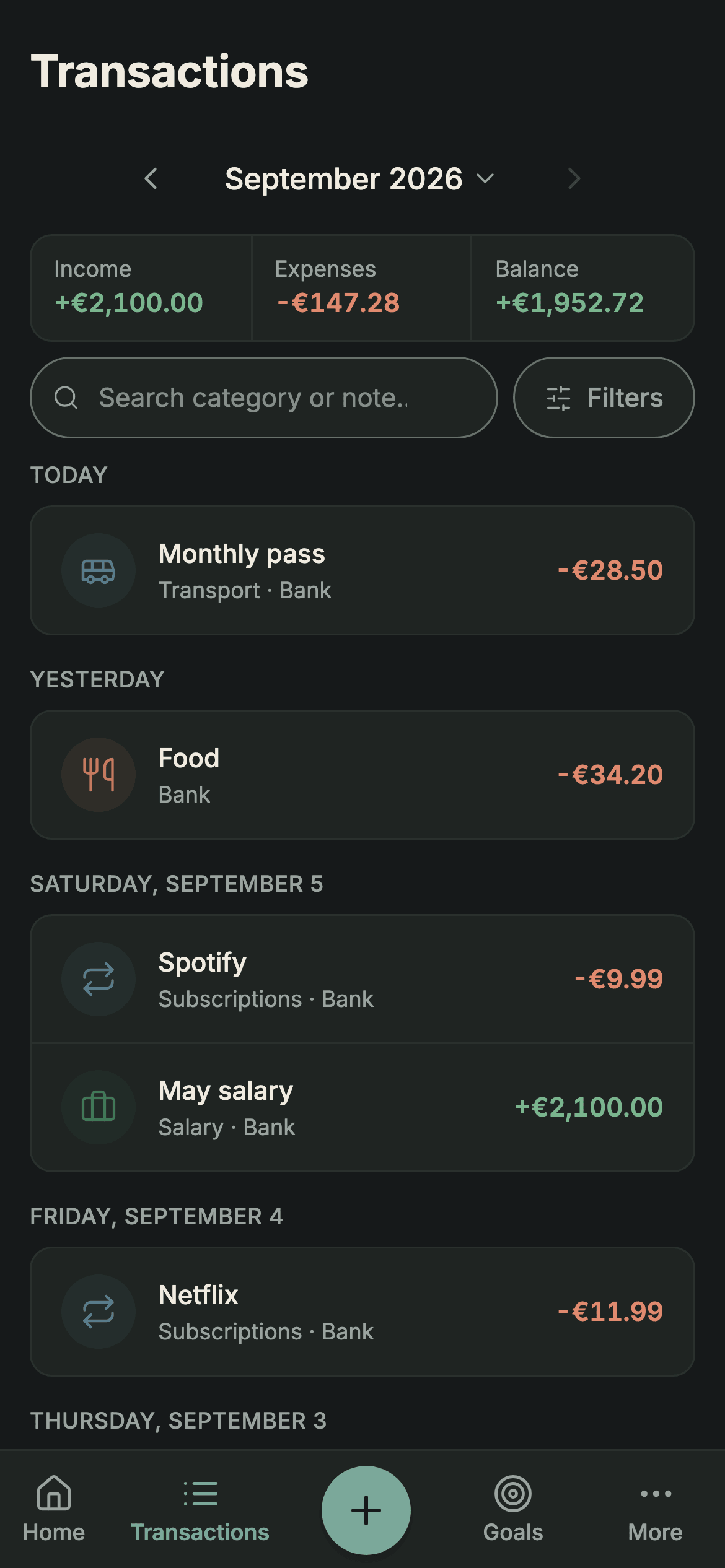
Sumant is our app. You can record movements manually or review a CSV or XLSX file before importing it. It runs in a browser on mobile and desktop, and you sign in with an email and password or with Google. The free plan has no expiry and includes one import of up to 250 selected transactions. PRO Founder costs €19.99 as a single payment, with no subscription.
Transactions do not arrive through an automatic bank connection. JSON export is available for free; CSV/XLSX export requires PRO. With PRO you can track recurring transactions. Sumant shows no ads. Shared accounts are not part of the current product.
Sources: Sumant plans · checked on .
2. YNAB
YNAB combines transaction recording with a budgeting method its pricing page describes as “give every dollar a job”. Its published price is $109 a year or $14.99 a month (USD), plus tax where applicable. Its pricing page offers a 34-day free trial and says no credit card is needed when you sign up directly with YNAB, while app stores may ask for one.
It offers web and mobile access. Check bank-import availability for your particular accounts if that function matters; you can also add an unlinked account and record movements manually. The presence of a country on a support list does not establish that every bank account there is supported.
Sources: YNAB pricing and features · checked on ; Adding an account in YNAB · checked on .
3. Fintonic
Fintonic describes an app that brings together information from connected bank accounts and shows your movements already categorised. Its current website also presents financing services and a free FinScore. In its explanation of free access, the company states that it receives commissions for intermediating in financial products.
The app being described as free does not mean that a loan has no interest or other conditions. Distinguish the task of reviewing spending from a possible financing application, and read the terms of the particular service you are considering.
Sources: Fintonic: free access and commissions (Spanish) · checked on ; Current Fintonic services (Spanish) · checked on .
4. Monefy
Monefy focuses on recording transactions and reviewing categories. Its website says the core app is completely free and that an optional upgrade unlocks unlimited accounts, recurring transactions, advanced filters and more. You can add expenses by hand or import statements manually, with no bank login required.
The website publishes no price. The US App Store listing describes Premium as an auto-renewing subscription and lists “Monefy Premium” at $59.99 without saying the period, so check what your own store offers instead of assuming that price applies to you. The official download page advertises iOS and Android apps and does not advertise a web client. That matters if you specifically need a browser interface on your computer; it does not establish that its mobile apps cannot run on any compatible computer.
Sources: Monefy features and plans · checked on ; Official Monefy downloads · checked on ; Monefy on the US App Store · checked on .
5. Spendee
Spendee Basic is free and includes one cash wallet and one budget. Plus is listed at $1.99 a month or $14.99 a year, and Premium at $5.99 a month or $35.99 a year, with bank account sync only in Premium. The pricing page lists these prices in dollars, notes country differences and says all plans come with a 7-day free trial. Budgets are listed for iOS and Android, with web support still pending.
For exports, its help documents CSV or XLS from the mobile apps, not from the web version, and says the free plan exports only the last 365 days. XLS and XLSX are different formats. If you want to bring these movements into Sumant, choose CSV and review the columns before confirming the import.
Sources: Spendee plans and platforms · checked on ; Exporting Spendee transactions · checked on .
6. Wallet by BudgetBakers
Wallet offers transaction recording and budgets with mobile and web access, and a completely free tier for manual tracking. Its help places bank syncing in Premium, which comes as monthly, yearly or lifetime plans, and says you see the current prices inside the app, so no price is quoted here. BudgetBakers also says you can import your historical records from files.
The company says you can connect with over 15,000 banks worldwide, which does not tell you whether your own bank is among them. Some features may differ slightly between iOS, Android and the web, because Wallet started on Android, although a subscription bought on any of them works across all platforms. Check the platform you intend to use for any feature that is essential to you, and check what an available report or export actually contains before you plan a move to another service.
Sources: Wallet recording and budgets · checked on ; Wallet Premium plans and platform differences · checked on ; Wallet bank connections in Premium · checked on .
Compare Sumant and Wallet by BudgetBakers
7. Money Lover
Money Lover offers transaction recording and budgets. Its US App Store listing says the app contains advertising and that Premium lets you enjoy it ad-free. Lifetime Premium is listed at $19.99 (USD) as a one-time purchase with no monthly fees, and it excludes Linked Wallet, which is a separate service. That is the price and purchase type in that store, not a universal subscription that includes bank connections.
Linked Wallet, the service that links your bank accounts, is sold by the month with a 7-day free trial, and the listing says it supports banks in the Philippines, Malaysia, Singapore, Hong Kong, Vietnam, Thailand, Indonesia and more. Official help confirms that its desktop web version can again display and add transactions. It says the web version is not available in mobile browsers, but that announcement does not establish a Premium requirement. Check the current conditions for the task you need.
Sources: Money Lover on the US App Store · checked on ; Money Lover: return of the web version · checked on .
Compare Sumant and Money Lover
How do you try an app before moving your whole history?
Try the app with a small period and data you can check. Record an expense, an income and, if you need it, a transfer; then check categories, dates and totals. Repeat the review on the device you will normally use. Keep your originals while you decide, and check separately how you can get your data out.
If you try an import, check the selected rows and whether they overlap with transactions you already recorded. A total can look right and still include a duplicate alongside an omission. Check specific examples, the period and the accounts included. If something does not match, keep a note of the difference before adding more history.
Judge the experience with questions you can answer: where do you correct a category, how do you find a payment and what does an exported file contain? If your current tool already handles those tasks, you can keep using it. If you find a specific limitation, plan the move around it, not around a general ranking that does not know your needs. If a task remains unclear, consult the product’s current documentation: the published features in this list are not a substitute for testing your own workflow.